
Line up the mics, set tracking levels, gate the bleed, even out the hits and shape the peaks — five drum tools in one channel strip, on every drum track.
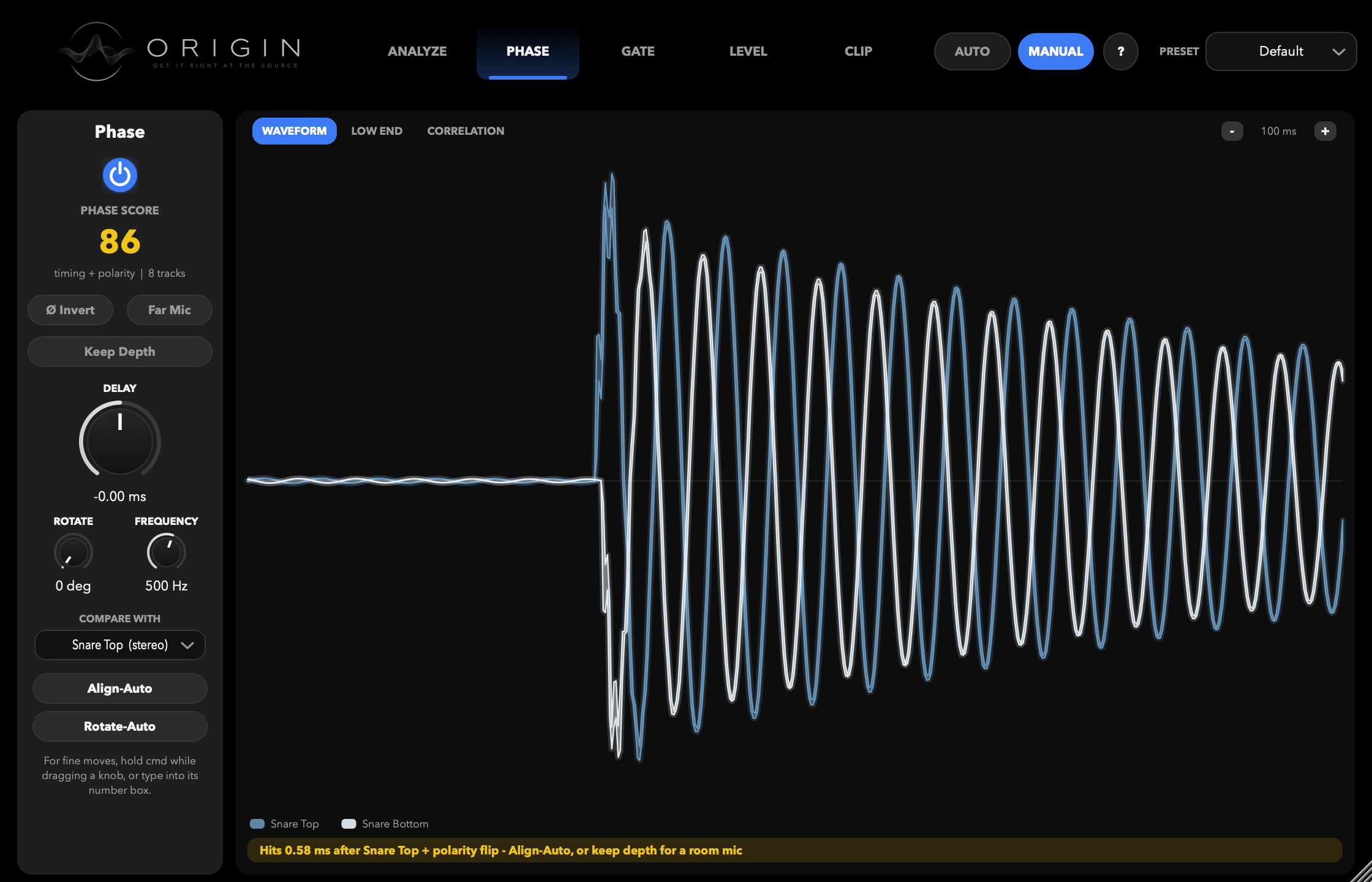
Phase, on a snare pair. The bottom mic lands 0.58 ms late and upside down — Origin says so in words, then fixes it.
Origin goes on each drum in the session — kick, snare, toms, overheads, room. The instances find each other, share what they measure, and work as one kit, so whichever window you have open controls all of it.
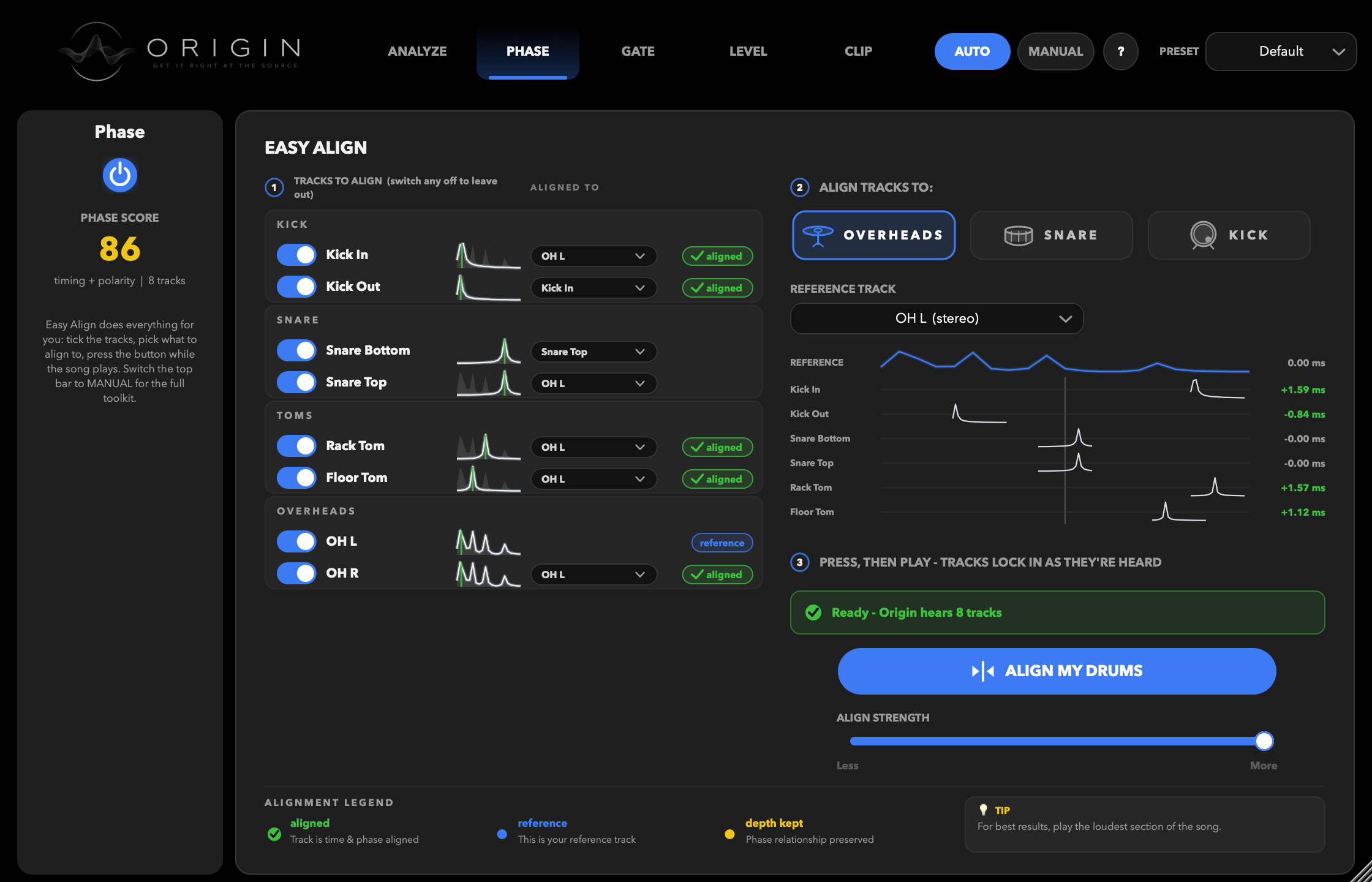
Origin groups your session by drum — kick, snare, toms, overheads — picks a reference, and works out how late every other mic is and whether it is upside down. Press once, play the song, and each track locks in as it is heard. Routing is yours to override: two mics on a tom compare to each other, not to the overheads.
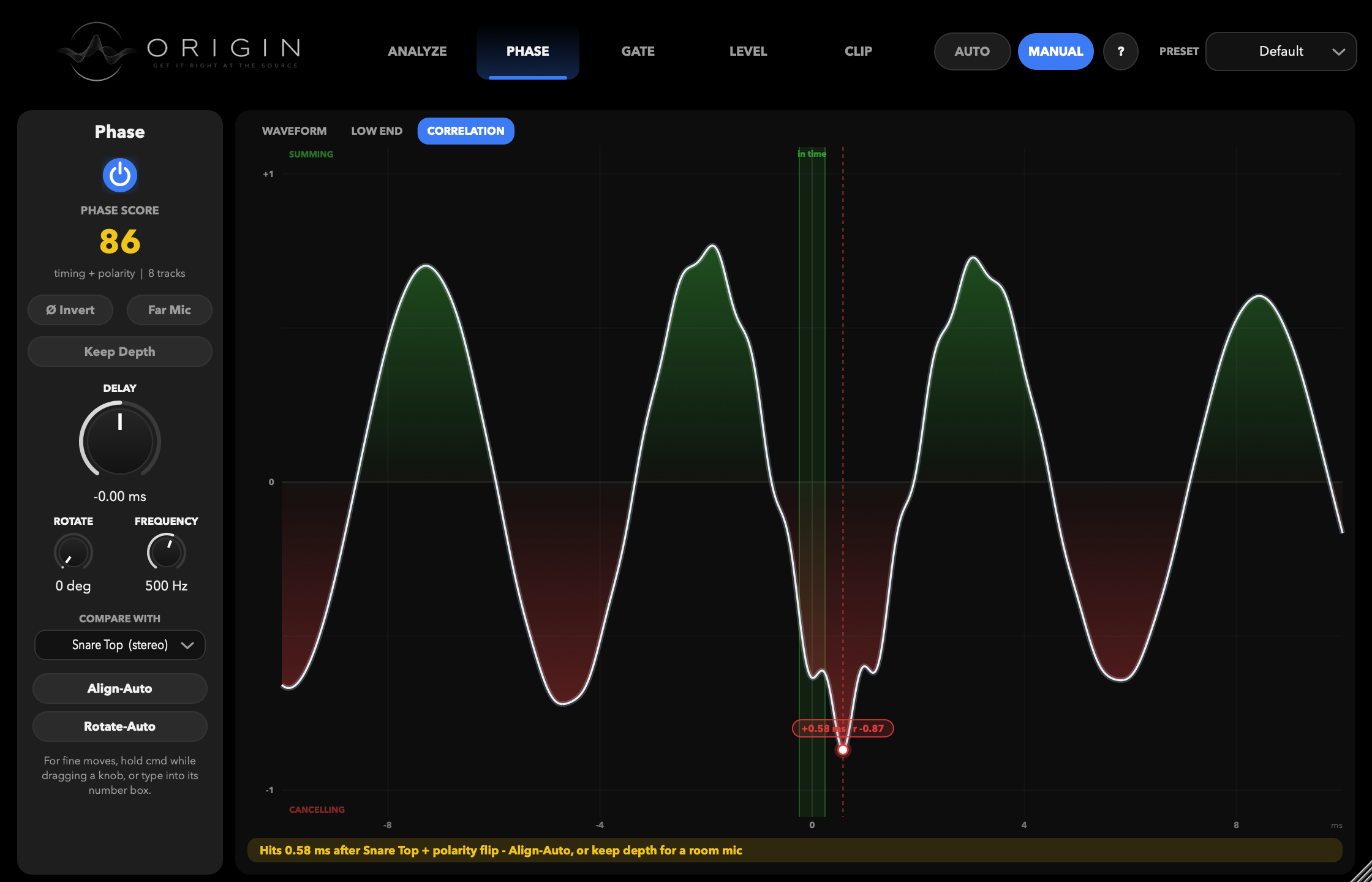
Every automatic move is one you can check. Overlay the two mics, look at just their low end, or read the correlation curve — green where the pair sums, red where it cancels, with the peak marked and labelled in milliseconds. Then take the knobs yourself: polarity, fractional delay, and all-pass rotation around the frequency Origin detected as that drum's fundamental.
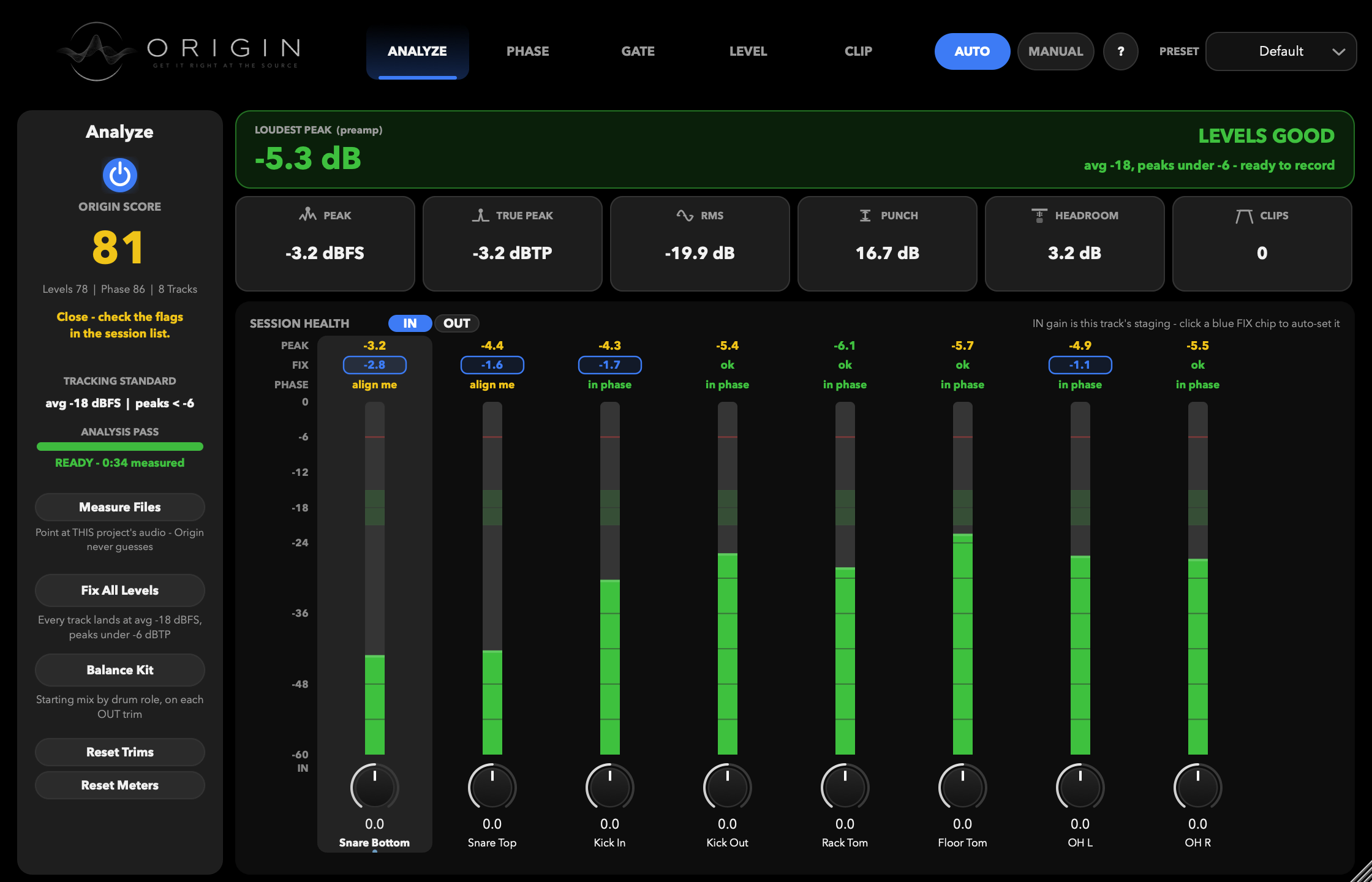
Written for the person recording themselves, who cannot reach the preamp from behind the kit. Origin measures the whole performance — sample peak, true peak, playing level, punch, headroom, clips — and holds the fix until it has heard enough of the song to be sure. Then one click stages the entire kit to the same standard.
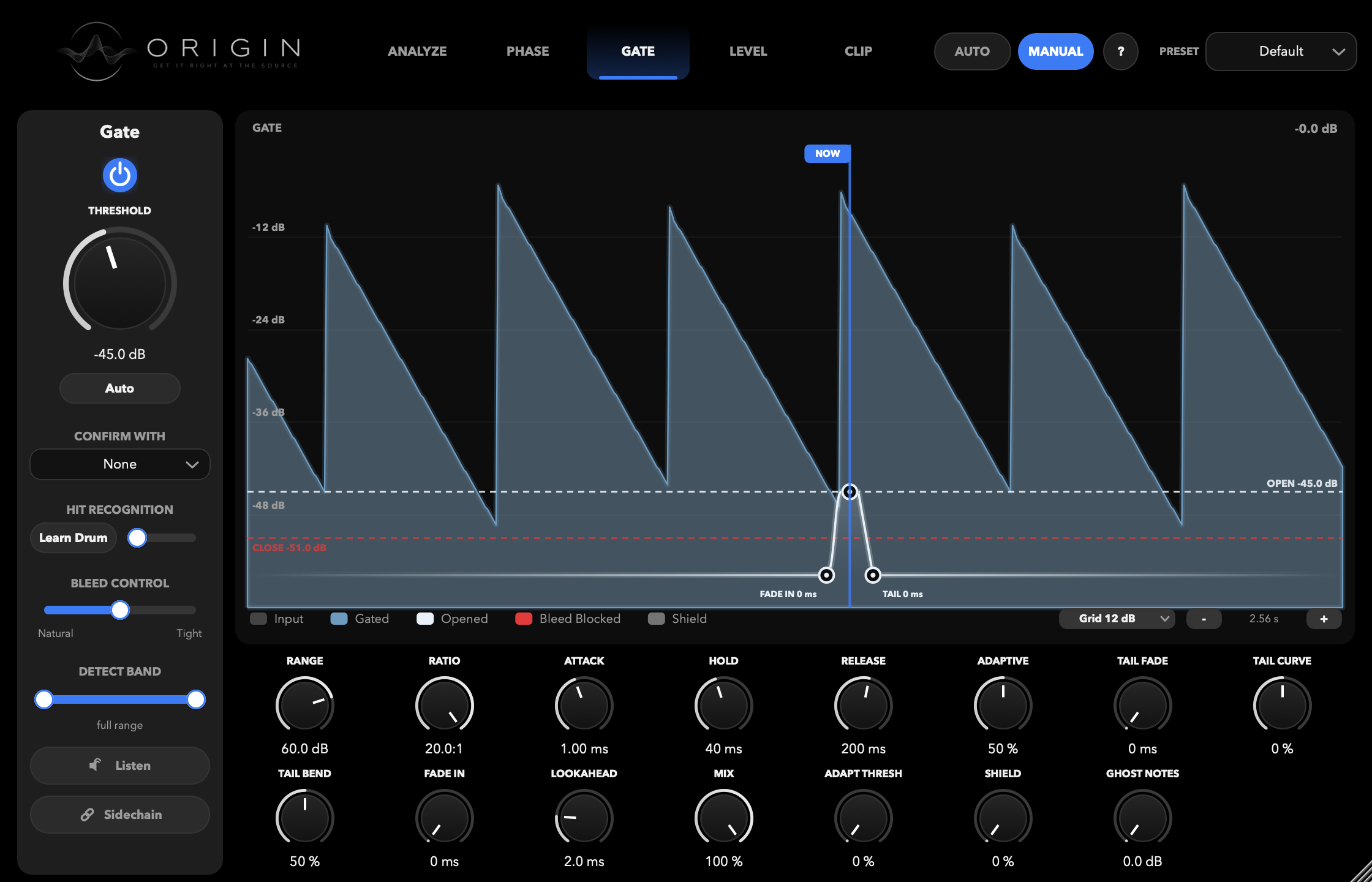
An adaptive release measures each drum's own decay and fades out in step with the tail, so the silence between hits goes away without the hard chop of a classic gate. The tail is yours to shape by hand — drag its length, then bend the curve toward the transient or away from it. 2 ms of lookahead never clips the attack.
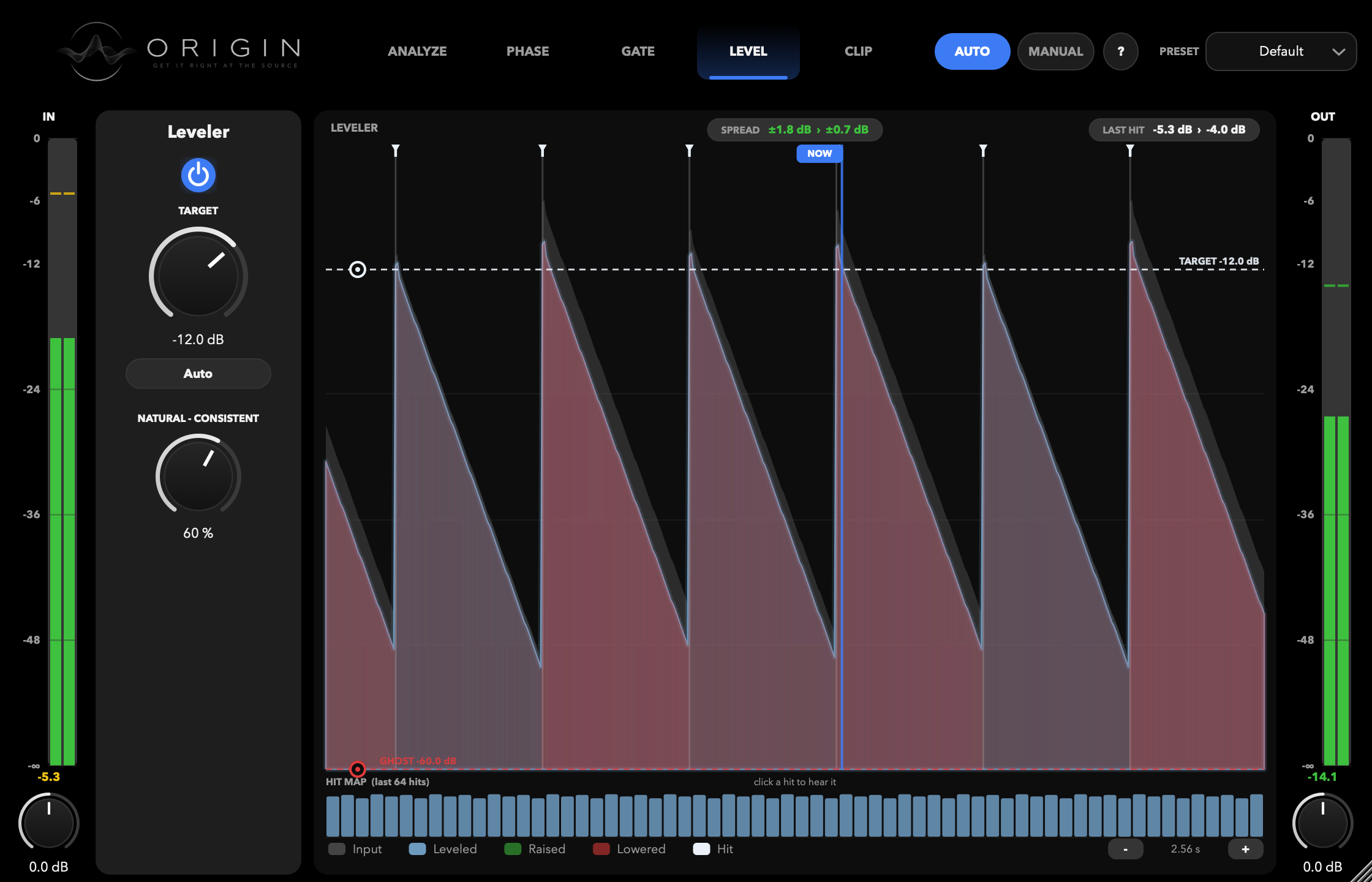
Gain riding that works hit by hit rather than continuously, lifting the soft ones to sit with the loud ones without a compressor's grip on your tone or transients. The hit map shows what it did to each one, and a Natural–Consistent control decides how even you want it: machine-tight, or breathing.
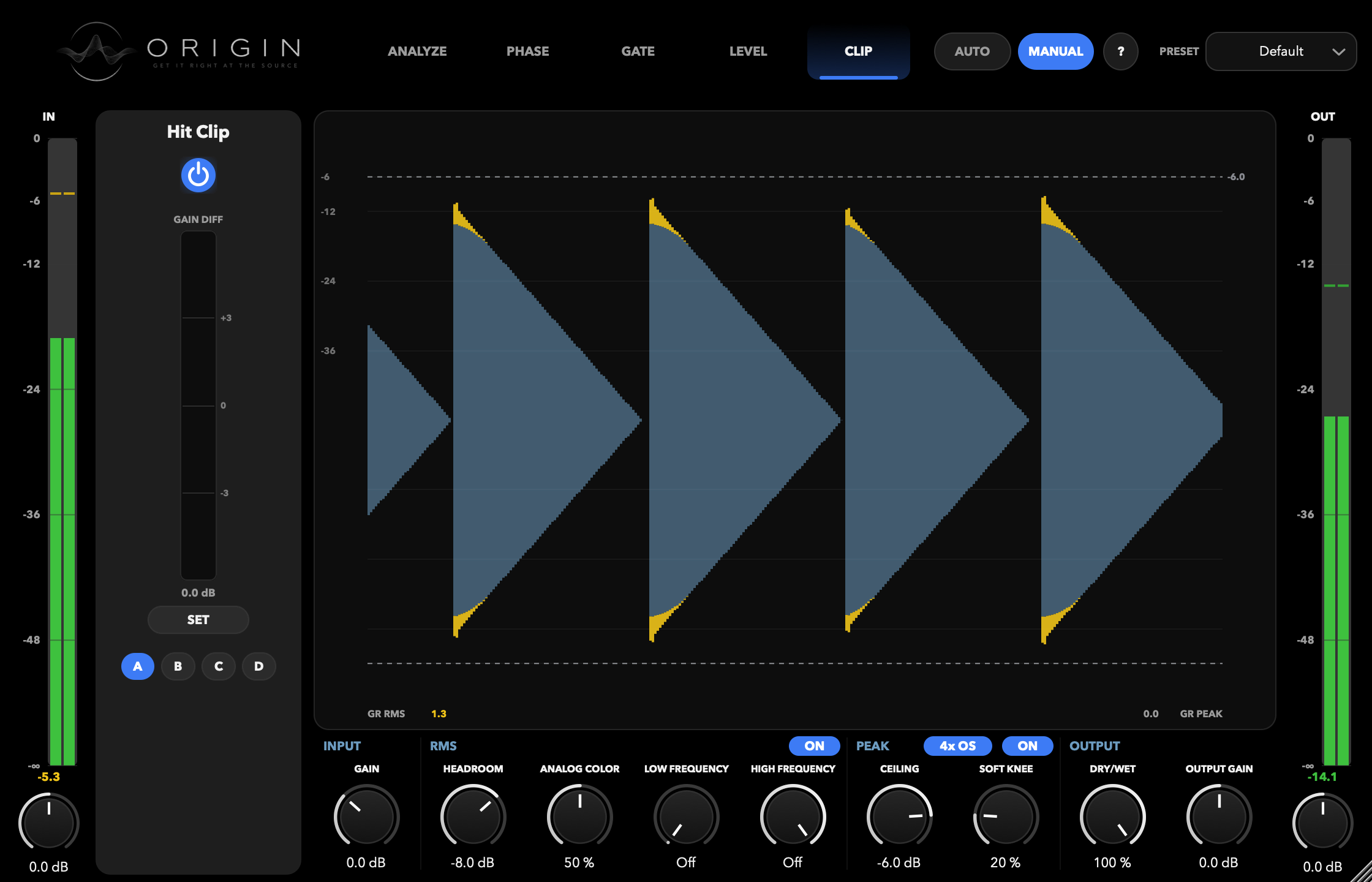
The last stage: a clipper built for drum transients rather than for a master bus. Work on RMS, on peaks, or both; band-limit what it acts on so a kick's low end doesn't set the ceiling for its beater; and oversample 4× so the shaved peaks stay where you put them. A gain-difference meter shows exactly how much you took.
AU + VST3 for macOS · VST3 for Windows · time-limited free trial · activate on a few machines · keeps working offline